One file for every client.
Prospects, clients, and contacts on a single record in EbixEvolution, with the risk details, policies, claims, ledger, and documents that follow attached to it for the life of the relationship.
the module, end to end
Everything about the client, in one place
The client file is the spine of EbixEvolution. Every other module writes to it and reads from it.
Client Dynamic Screens
Users add, reposition, or remove fields on the client screens, with user-controlled validation of user-defined fields, tailored to each business unit, so the client record asks for what that unit needs.
Prospects and clients
Every prospect starts as a record that becomes the client file the moment the first policy binds, with nothing re-entered along the way.
Contacts and relationships
Directors, finance contacts, site managers, and group structures, so the right person is on every document and every renewal conversation.
Risk details on the file
Locations, vehicles, activities, turnover, and the facts each class needs, captured once and reused across every quote and policy.
The full client view
Policies, claims, invoices, receipts, documents, diary, and notes on one screen, so anyone who picks up the phone has the whole picture.
Notes and correspondence
Calls, emails, and meetings logged against the client, the policy, or the claim they concern, and kept for the life of the relationship.
Diary and follow-ups
Renewal invitations, outstanding documents, and promised call-backs sit on the file as tasks with owners and dates.
Segments and marketing lists
Clients by class, insurer, renewal month, or producer, for renewal campaigns and cross-sell without an export.
Permissions by role
Who can see, edit, invoice, and receipt is set by role, and every change to the file is recorded.
Inside the module
The configurable client screens, risk capture on a Web Form, and the dashboard with the diary, as a broker sees them day to day.
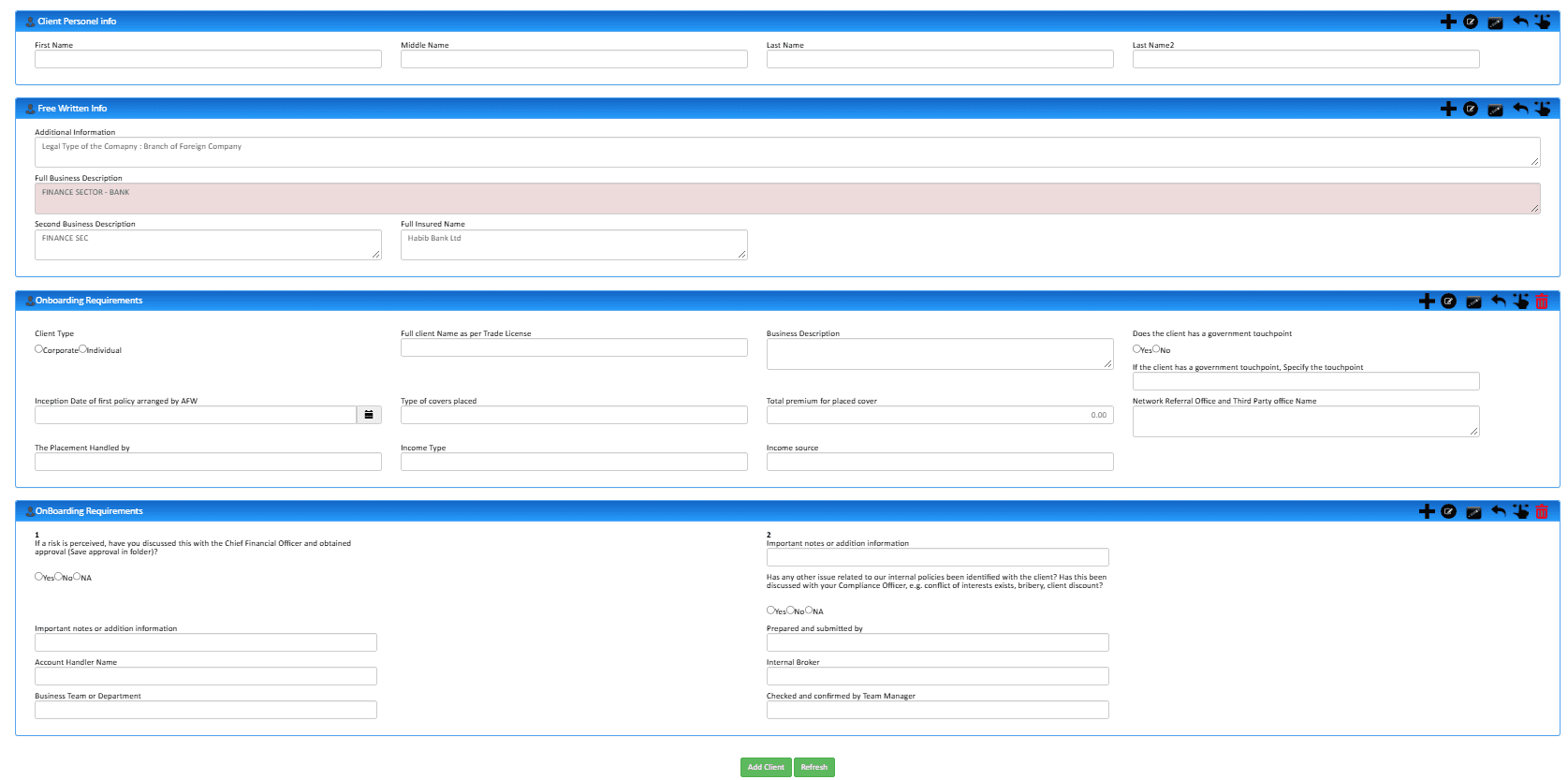
Client screens the business unit designs
Client Dynamic Screens: the client personal, written-in, and onboarding sections with the fields each business unit adds, repositions, or removes, and the validation it sets on its own fields.
- Fields added, moved, or removed per business unit
- User-controlled validation on user-defined fields
- One client record, shaped to each team
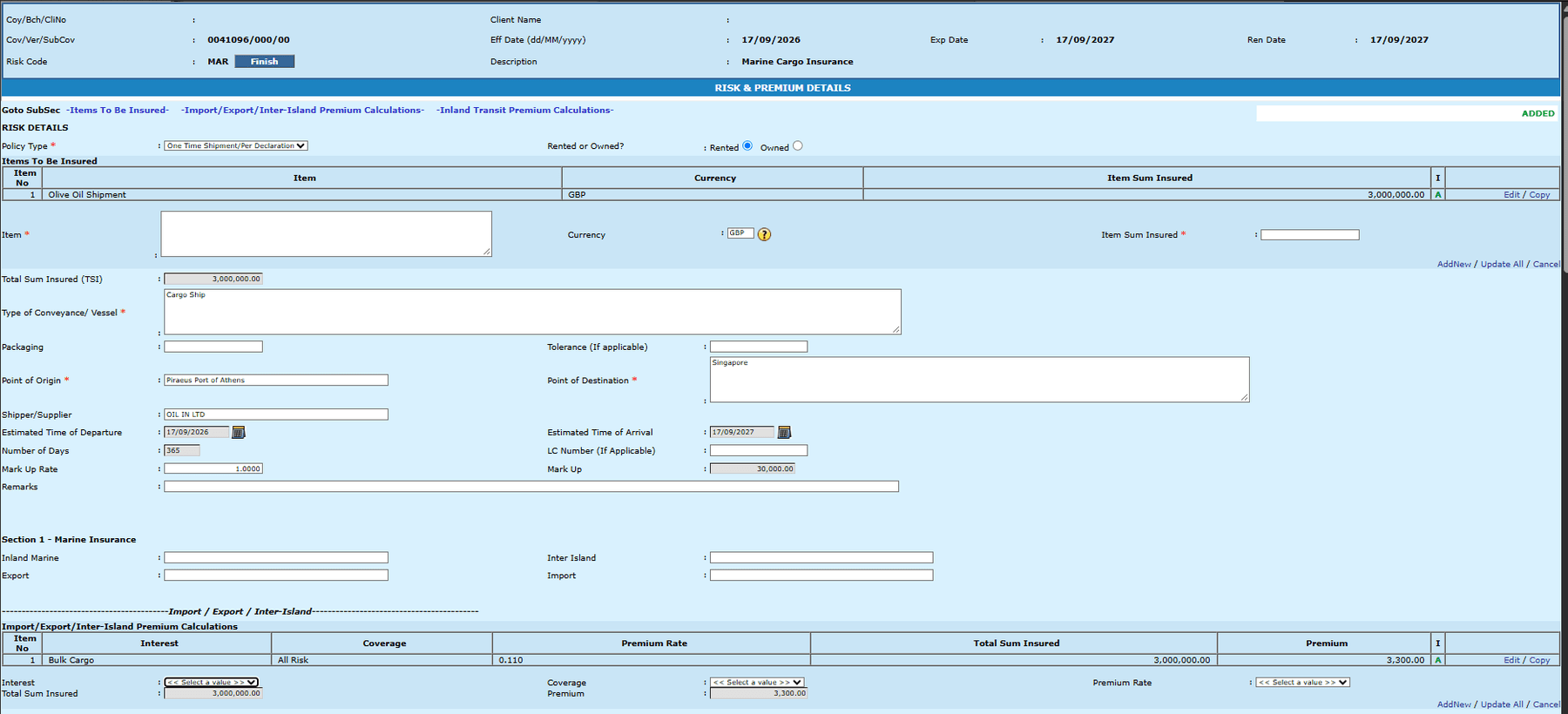
Risk captured on a Web Form
The facts a class of business needs, captured on a configurable browser form and reused on every quote, policy, and schedule that follows.
- Configurable form per product or class
- Coverage summary and placing slip generated
- Reused across quotes and renewals
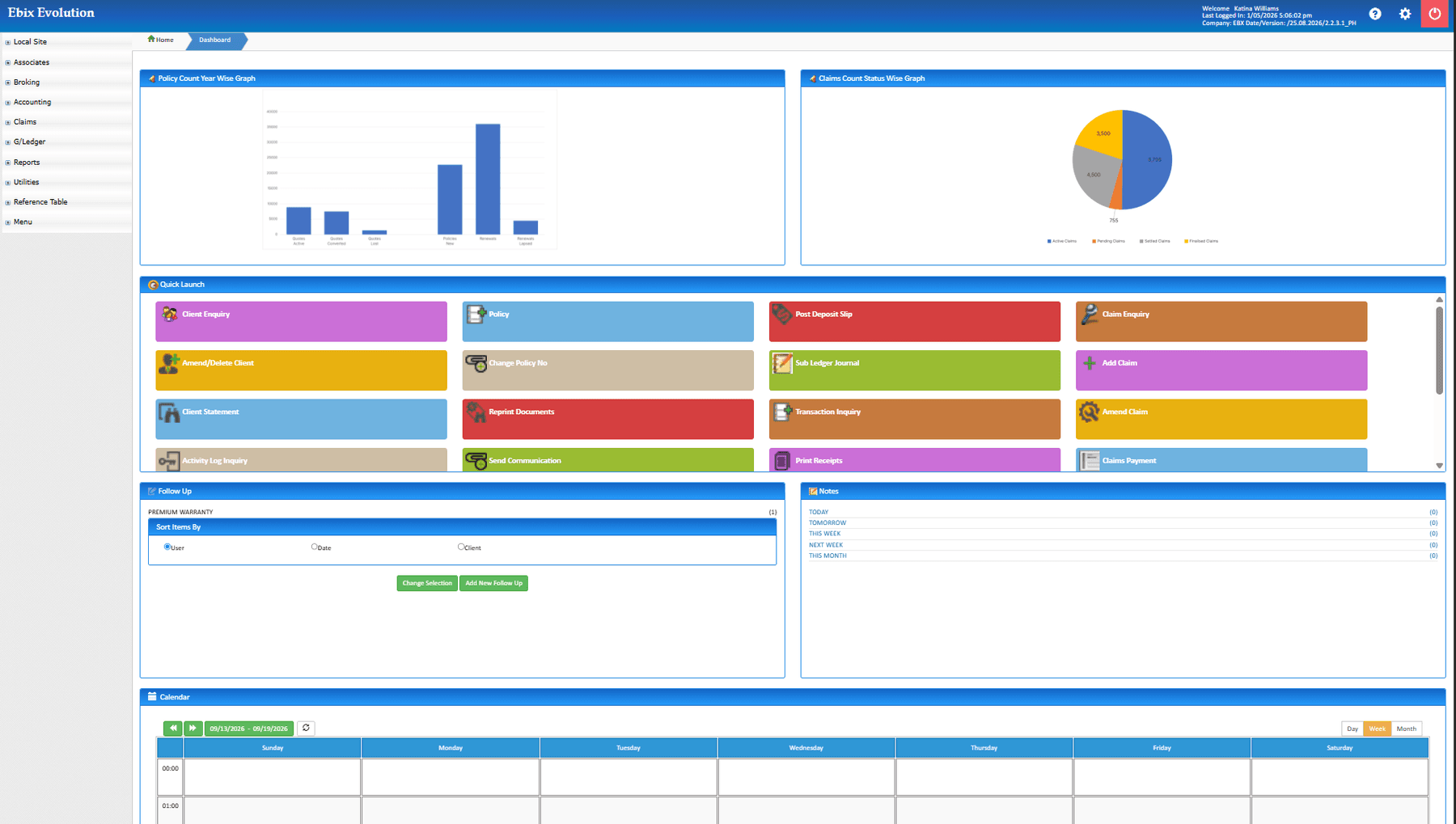
The dashboard and the diary
Each user's dashboard with the charts and reports they chose, the quick-launch tiles for their work, and the diary and to-do action lists beneath, with Outlook Calendar alongside.
- Configured per user, group, unit, or team
- Diary and to-do action lists on the home page
- Outlook Calendar integration
Actual product screens, shown as configured and white-labeled for RedGram Wealth Management, an investment advisory firm running on Ebix Meridian. Your firm gets the same portal under your own brand.
Anyone can pick up the phone.
When a client calls, whoever answers sees the same file the account executive works from: what is on cover, what is outstanding, what was promised, and what the last conversation was about. Service does not depend on one person's memory.
Cover, claims, balance, and documents on one screen.
Notes and correspondence logged where they belong.
Open tasks with owners and dates, visible to the team.
Built for the long relationship
Brokerages keep clients for years and decades. The client file is designed to carry that history without becoming unreadable: the current position first, the full record underneath.
What is on cover and what is outstanding, before the history.
Every past policy, claim, and invoice remains on the file.
Parent and subsidiary entities linked, with programmes viewed at either level.
Every client has an owner and a service team, and the work queues follow.
See your own clients
on the file
Bring a few real accounts to the demo and see how the file reads once the history is on it.